JSON Validator and Formatter
Paste your JSON to check it as you type. If it's invalid, you see the exact line and column and how to fix it. If it's valid, you get it formatted or minified.
Runs in your browser. Your data is never sent to a server.
How to Use the JSON Validator
- Paste or type your JSON in the left box, or click Sample to try it. The JSON is checked as you type.
- If there’s an error, the message shows the line and column, the part of the line where the problem is, and a suggested fix. Click Show in input to jump to it.
- If the JSON is valid, the right box shows it formatted. Choose 2 spaces, 4 spaces or tabs, sort the keys alphabetically, or click Minify to remove all whitespace. Press Ctrl+Enter to format.
- Copy or Download the result.
The validator follows the JSON standard (RFC 8259) strictly, like Jackson in Java or JSON.parse in JavaScript. If it accepts your JSON, your API will too.
Common JSON Errors and How to Fix Them
| Error | Fix |
|---|---|
Trailing comma: {"a": 1,} |
Remove the comma after the last property or element. |
Single quotes: {'name': 'Ada'} |
Use double quotes for keys and strings: {"name": "Ada"}. |
Unquoted key: {name: "Ada"} |
Put every key in double quotes. |
Comments: // note or /* note */ |
Remove them. JSON has no comments; use JSON5 or YAML if you need them. |
undefined, NaN, Infinity |
Use null, a number or a string. These are JavaScript, not JSON. |
True, False, None |
Write true, false and null in lowercase. |
Leading zero: 007 |
Write 7, or use a string for codes: "007". |
Backslash in a path: "C:\temp" |
Escape it: "C:\\temp". |
| Line break inside a string | Write it as \n. |
Two values: {...} {...} |
Wrap them in an array: [{...}, {...}]. |
Most of these errors come from JSON written by hand or copied from JavaScript code. JSON generated by a library such as Jackson is always valid, so if a generated document is invalid, look for string concatenation in the code that builds it.
Why Large Numbers Change in Many JSON Tools
JavaScript stores every number as a 64-bit floating-point value, which represents integers exactly only up to 253 − 1 (9,007,199,254,740,991). A Java long goes up to 9,223,372,036,854,775,807. When a browser reads a larger ID with JSON.parse, it quietly rounds it:
1
JSON.parse('{"id": 9007199254740993}').id   →   9007199254740992
Online formatters that use JSON.parse change your IDs without telling you. This tool keeps every number exactly as you wrote it and shows a note when a number is outside JavaScript’s safe range.
If your Java API sends 64-bit IDs to a JavaScript front end, send them as strings. With Jackson, annotate the field:
1
public record Order(@JsonFormat(shape = JsonFormat.Shape.STRING) long id, String customer) {}
Jackson then writes {"id":"9007199254740993","customer":"Ada"} and reads the string back into the long without losing a digit.
Validate JSON in Java with Jackson
To validate JSON in your own code, parse it with Jackson and read the error location from the exception. This example uses Jackson 3, the version in Spring Boot 4 (in Jackson 2 the package is com.fasterxml.jackson and the exception is the checked JsonProcessingException):
1
2
3
4
5
6
7
8
9
10
11
12
13
14
15
16
17
18
19
20
21
import tools.jackson.core.JacksonException;
import tools.jackson.core.StreamReadFeature;
import tools.jackson.databind.json.JsonMapper;

public class JsonValidator {

  private static final JsonMapper MAPPER = JsonMapper.builder()
      .enable(StreamReadFeature.STRICT_DUPLICATE_DETECTION)   // reject duplicate keys
      .build();

  public static String validate(String json) {
    try {
      MAPPER.readTree(json);
      return "Valid JSON";
    } catch (JacksonException e) {
      var location = e.getLocation();
      return "Line " + location.getLineNr() + ", column " + location.getColumnNr()
          + ": " + e.getOriginalMessage();
    }
  }
}
For a trailing comma, it returns:
1
Line 4, column 1: Unexpected character ('}' (code 125)): was expecting double-quote to start property name
In a Spring Boot REST API, you don’t need to validate request bodies yourself: when a client sends malformed JSON, Spring throws HttpMessageNotReadableException and answers 400 Bad Request. Learn more about status codes and API design in the REST API overview, and how to describe your JSON payloads in Documenting a Spring Boot REST API with OpenAPI 3.
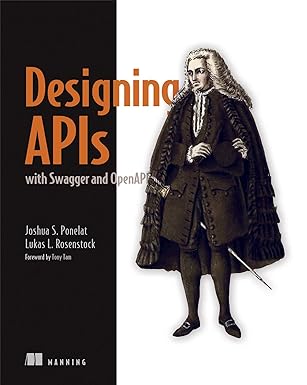
Valid JSON is only the start: a good API also needs consistent names, clear error responses and a documented contract. Designing APIs with Swagger and OpenAPI by Josh Ponelat and Lukas Rosenstock shows how to design one:
Frequently Asked Questions
Is my JSON sent to a server? No. The validator is a small JavaScript program that runs in your browser. Your JSON is never uploaded or stored, so you can safely check API responses, configuration files and tokens.
Does it accept comments, trailing commas or JSON5? No. It checks standard JSON, the format APIs and parsers expect. When it finds JSON5 features such as comments or trailing commas, it tells you where they are so you can remove them.
Why are duplicate keys a warning and not an error?
The JSON standard says keys should be unique, but doesn’t forbid duplicates. Parsers handle them differently: most keep the last value, and Jackson rejects them when STRICT_DUPLICATE_DETECTION is enabled. The validator shows a note so that you can decide.
How large can the JSON be? Several megabytes. Inputs up to 2 MB are checked as you type; for larger inputs, click Format or Minify.