
Log Every Login Attempt with Spring Boot Actuator Auditing
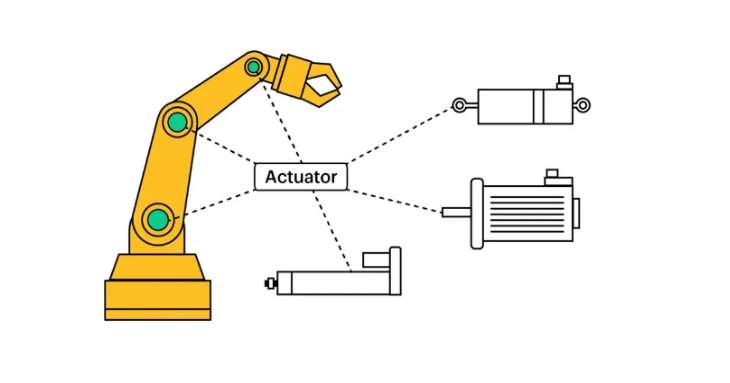
When a login fails at 3 a.m., you want to know who tried, how often, and whether it worked. Spring Boot Actuator already publishes these security events; you only have to listen. Here’s how to log every token request, successful or not, without flooding your log file.
Spring Boot includes additional features to help you monitor and manage your application when deployed to production.
You can manage and monitor your application by using Loggers, Metrics, Tracing, and Auditing automatically.
To enable these Production-ready Features, you need to add a dependency on the spring-boot-starter-actuator starter.
1
2
3
4
5
6
<dependencies>
  <dependency>
    <groupId>org.springframework.boot</groupId>
    <artifactId>spring-boot-starter-actuator</artifactId>
  </dependency>
</dependencies>
Use case
We want to log all OAuth2 token requests from a new Rest API (successful and unsuccessful).
The authorization grant that the API uses is Resource Owner Password Credentials. See How to implement Spring Boot Security OAuth2.
A note for 2026: this example uses the password grant on a
/oauth/tokenendpoint, which Spring Security 7.0 no longer supports. The auditing technique itself works the same with any authentication flow. To modernize the client side, see Replace OAuth2RestTemplate with RestClient.
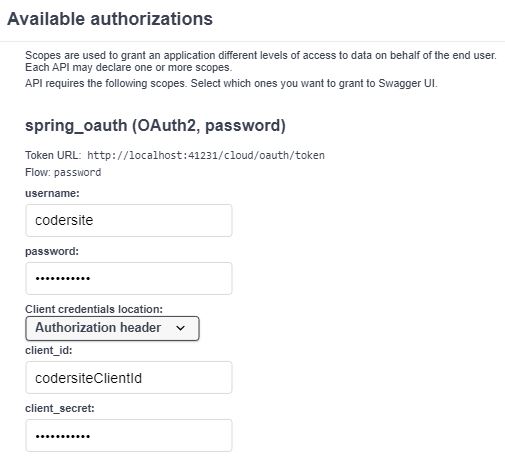
We are going to enable Auditing to catch authentication and authorization events that the Spring Boot Actuator publishes by default such as “authentication success”, “failure” and “access denied” exceptions.
Enable Auditing
1
2
3
4
5
6
7
8
@Configuration
public class AuditConfig {

  @Bean
  public AuditEventRepository auditEventRepository() {
    return new InMemoryAuditEventRepository();
  }
}
Without an AuditEventRepository bean, Spring Boot doesn’t record audit events, and the listener below never fires. InMemoryAuditEventRepository is fine for development. For production, Spring recommends your own implementation, for example one that writes to a database.
Listen to the Events
We define a bean with a listener method.
1
2
3
4
5
6
7
8
9
10
11
12
@Component
public class LoginAttemptsLogger {

  private static final Logger logger = LoggerFactory.getLogger(LoginAttemptsLogger.class);

  @EventListener
  public void auditEventHappened(AuditApplicationEvent auditApplicationEvent) {

    logger.info(auditApplicationEvent.getAuditEvent().getPrincipal() + " - " +
      auditApplicationEvent.getAuditEvent().getType());
  }
}
The previous code logs events from every endpoint of the API, so the log file grows quickly with entries we don’t need.
Instead, we can inject the HttpServletRequest interface, which provides request information for HTTP servlets, and log only requests to the oauth/token URL.
1
2
3
4
5
6
7
8
9
10
11
12
13
14
15
16
17
18
@Component
public class LoginAttemptsLogger {

  private static final Logger logger = LoggerFactory.getLogger(LoginAttemptsLogger.class);

  @Autowired
  private HttpServletRequest httpServletRequest;

  @EventListener
  public void auditEventHappened(AuditApplicationEvent auditApplicationEvent) {

    if (httpServletRequest.getRequestURL().toString().contains("/cloud/oauth/token")) {
      logger.info("Login Attempt in /cloud/oauth/token Principal : " +
        auditApplicationEvent.getAuditEvent().getPrincipal() + " - " +
        auditApplicationEvent.getAuditEvent().getType());
    }
  }
}
When the authentication process is successful you can see in your console:
1
LoginAttemptsLogger   : Login Attempt in /cloud/oauth/token Principal : codersite - AUTHENTICATION_SUCCESS
When the authentication process is not successful you can see in your console:
1
LoginAttemptsLogger   : Login Attempt in /cloud/oauth/token Principal : codersite - AUTHENTICATION_FAILURE
See the Events in the Browser
1
management.endpoints.web.exposure.include=health,auditevents
Now GET /actuator/auditevents returns the most recent events as JSON. Protect this endpoint in production: it reveals who logged in.
See Implementing hot-warm architecture in Elasticsearch to analyze application server logs.
Security and observability questions are common in backend interviews: how would you detect a brute-force attack on your login? Prepare with real questions:
“If this article helped you, help me create the next one.”
☕ Buy me a coffee