
Clean Code Best Practices: 10 Rules with Java Examples

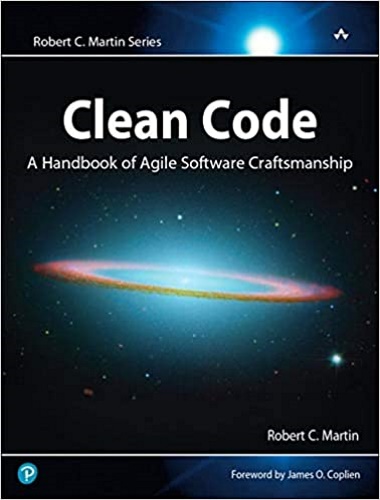
Clean code is code that a developer other than its author can read, change and extend without fear. The idea was made popular by Robert C. Martin in his book Clean Code.
This post shows ten clean code rules with real Java examples, each one a before taken from production code and an after you can copy. You will learn how to:
- choose names that make comments unnecessary;
- split functions so each one does one thing;
- replace hard-coded values without waiting for a big project;
- cut long argument lists down to one object;
- make a block of code read like a story.
At the end there is a code review checklist with one line per rule.
In this article 12 sections
- 1. Use intention-revealing names
- 2. Make functions do one thing
- 3. Don’t comment bad code, rewrite it
- 4. Choose simplicity over cleverness
- 5. Avoid hard-coded values
- 6. Name variables by their context
- 7. Use method overloading to keep existing callers working
- 8. Avoid long argument lists
- 9. Make code tell a story
- 10. Copy one constant instead of keeping a dead library
- Clean code review checklist
- FAQ
1. Use intention-revealing names
A name should tell the reader why a variable, function or class exists, what it does and how it is used. If a name needs a comment, the name is wrong.
Real code from a project:
1
2
int sId; // supplier id
int artDelPrice;
Refactored:
1
2
int supplierId;
int articleDeliveredPrice;
The same applies to types from external libraries, whose names you can’t change:
1
private Z_E2F_RS_Result e2fResult; // ingredients record set
You can’t rename Z_E2F_RS_Result, but you can name your variable after what it holds:
1
private Z_E2F_RS_Result ingredients;
Now imagine the original code without the // ingredients record set comment. Further down, in a loop, you find this line:
1
e2f = e2fResult[i];
What is e2f? Someone suggests asking the developer who wrote the code. They’re not in the office. You send them an email, and the auto-reply says they’re on holiday for three weeks.
With an intention-revealing name, nobody has to ask:
1
ingredient = ingredients[i];
Robert C. Martin spends a whole chapter of Clean Code on naming, with dozens of before-and-after examples like this one. If this rule saves you a single “what does e2f mean?” conversation, the book has paid for itself.
2. Make functions do one thing
We retrieve images from an external web service. For each image we first receive metadata: two flags that tell us whether the image is valid, and up to three image IDs from different systems. We need the first ID that isn’t null.
1
2
3
4
5
6
7
8
9
10
11
12
13
14
15
private String retrieveImageId(String[] values) {
  if (!values[2].equals("Y") || !values[3].equals("Y"))
    return null;

  String imageId = null;
  // get the first not null value as the imageId
  if (values[4] != null) {
    imageId = values[4]; // imageAIXId
  } else if (values[5] != null) {
    imageId = values[5]; // imageLIXId
  } else if (values[6] != null) {
    imageId = values[6]; // imageOIXId
  }
  return imageId;
}
This function does two things: it validates the image and it picks the ID. Its name only mentions the second one, so a caller can’t tell that null might mean “invalid image” or “no ID”. Split it into two functions, each with one job and a name that says it:
1
2
3
4
5
6
7
8
9
10
11
12
13
private static final int AIX_IMAGE_ID = 4;
private static final int LIX_IMAGE_ID = 5;
private static final int OIX_IMAGE_ID = 6;

private boolean isValidImage(String[] values) {
  return "Y".equals(values[2]) && "Y".equals(values[3]);
}

private Optional<String> findImageId(String[] values) {
  return Stream.of(values[AIX_IMAGE_ID], values[LIX_IMAGE_ID], values[OIX_IMAGE_ID])
      .filter(Objects::nonNull)
      .findFirst();
}
A few details changed on the way:
- Named constants replace the
// imageAIXIdcomments. "Y".equals(...)doesn’t throw aNullPointerExceptionwhen a flag is missing.Optionaltells the caller that there might be no ID, so they can’t forget to handle it.
The caller now reads like the requirement:
1
2
3
4
5
6
7
8
9
public void synchronizeImages() {
  Response response = api.getImages();
  for (Row row : response.getRows()) {
    String[] values = row.getValues();
    if (isValidImage(values)) {
      findImageId(values).ifPresent(this::downloadImage);
    }
  }
}
I tested the new functions against the original one with every combination of flags and IDs, and they return the same image ID in all 32 cases.
3. Don’t comment bad code, rewrite it
We request metadata for a list of articles, but the external API also returns articles we didn’t ask for. Before processing a row, we check that the article is in our map of requested articles, and we add a comment so our colleagues understand why:
1
2
3
4
5
6
7
8
9
10
11
12
13
public void synchronizeImages() {
  Response response = api.getImages(mapOfArticles);
  for (Row row : response.getRows()) {
    String[] values = row.getValues();
    String articleId = values[1];

    // only requested articles
    if (!mapOfArticles.containsKey(articleId))
      continue;

    // code omitted for brevity
  }
}
The comment exists only because the variable name is vague. Rename the map and the comment becomes unnecessary:
1
2
3
4
5
6
7
8
9
10
11
12
public void synchronizeImages() {
  Response response = api.getImages(requestedArticles);
  for (Row row : response.getRows()) {
    String[] values = row.getValues();
    String articleId = values[1];

    if (!requestedArticles.containsKey(articleId))
      continue;

    // code omitted for brevity
  }
}
The name also drops mapOf: the type already says it’s a map. Comments go out of date because nobody runs them. Names are read every time the code is read.
4. Choose simplicity over cleverness
To build an article’s image URL, the image ID must be valid, and if the image is restricted, the partner must be allowed to see it. Someone wrote it as one line:
1
String articleImageUrl = (imageId <= 0 || (imageIsRestricted && !partnerCanSeeImage)) ? null : IMAGE_URL + imageId;
It’s short, but to understand it you have to evaluate the negations in your head. Nesting if statements spells it out, but three levels deep is hard to read too. Instead, give the rule a name and write it with early returns:
1
2
3
4
5
private boolean canShowImage(int imageId, boolean imageIsRestricted, boolean partnerCanSeeImage) {
  if (imageId <= 0) return false;
  if (!imageIsRestricted) return true;
  return partnerCanSeeImage;
}
1
2
3
String articleImageUrl = canShowImage(imageId, imageIsRestricted, partnerCanSeeImage)
    ? IMAGE_URL + imageId
    : null;
Each line of canShowImage is one business rule, and you can unit test the rule on its own. I checked all 12 combinations of inputs: it gives the same result as the one-line version.
This is the KISS principle (Keep It Simple, Stupid): the simplest code is the one the next developer understands fastest, not the one with the fewest characters.
Any software design is generally a matter of opinion. There is no definitive guide. – codersite.dev
KISS is one of the principles my book Software Design Principles covers with worked Java examples, together with DRY, YAGNI and SOLID, and twelve clean code habits like the ones in this post.

5. Avoid hard-coded values
Hard coding means writing data, such as IDs, URLs or limits, directly into the source code instead of reading it from configuration, a file or a database.
Here is how it usually happens. A company has image copyright problems with two providers and must block their images for some customers immediately. The standard process is slow: a DBA writes a database function, developers add parameter classes, and the change goes through development, test and production. There’s no time for that, so a developer writes this:
1
boolean pictureIsRestricted = result.getProviderId() == "530636" || result.getProviderId() == "36507";
This line has two problems.
It’s a bug. In Java, == compares String references, not their text. A provider ID read from a database or a web service is a new String object, so == returns false even when the text is "530636". The restricted images are shown anyway. Always compare strings with equals.
It doesn’t stay in one place. Other modules need the same check, then a third provider is added, and soon the same IDs are copied into many classes. Every new provider means a code change and a deployment.
You don’t need the full database project to fix this. Put the IDs in a text file, one per line, and read them behind an interface:
1
2
3
4
public interface ProviderRepository {

  Set<String> findRestrictedProviders();
}
1
2
3
4
5
6
7
8
9
10
11
12
13
14
15
16
17
18
19
public class FileProviderRepository implements ProviderRepository {

  private final Path file;

  public FileProviderRepository(Path file) {
    this.file = file;
  }

  @Override
  public Set<String> findRestrictedProviders() {
    try (Stream<String> lines = Files.lines(file)) {
      return lines.map(String::strip)
          .filter(line -> !line.isEmpty())
          .collect(Collectors.toUnmodifiableSet());
    } catch (IOException e) {
      throw new UncheckedIOException("Cannot read restricted providers from " + file, e);
    }
  }
}
If the file is missing, the method throws an exception instead of returning an empty list. An empty list would silently mean “no provider is restricted”, and every image would be shown again.
Every class that needs the check uses the same repository:
1
2
Set<String> restrictedProviders = providerRepository.findRestrictedProviders();
boolean pictureIsRestricted = restrictedProviders.contains(result.getProviderId());
contains on a Set uses equals, so the comparison bug is gone too. The day the database function is ready, you write a DatabaseProviderRepository that implements the same interface, and no other code changes.
Small, safe steps like this one, where you change the structure without changing the behavior, are what Martin Fowler calls refactoring. His book Refactoring is a catalog of more than 60 of them, each with the motivation, the mechanics and a before-and-after example.

6. Name variables by their context
A Buyer and a Supplier both have an email address:
1
2
3
4
5
6
7
8
public class Buyer {

  private int buyerId;
  private String lastName;
  private String email;

  // code omitted for brevity
}
1
2
3
4
5
6
7
8
public class Supplier {

  private int supplierId;
  private String contact;
  private String email;

  // code omitted for brevity
}
Inside each class, email is clear: the class is the context. Don’t rename the fields to buyerEmail and supplierEmail. That repeats the class name in every call, as in supplier.getSupplierEmail(), and Clean Code warns against adding this kind of redundant context.
The context gets lost in local variables, far from the object they came from:
1
2
String email = supplier.getEmail();
// 40 lines later: whose email is this?
Put the context in the variable name instead:
1
2
String supplierEmail = supplier.getEmail();
String buyerEmail = buyer.getEmail();
The rule of thumb: the further a name is used from where its context is visible, the more context the name needs.
7. Use method overloading to keep existing callers working
A method subscribes a new buyer to an external service, and it is called from many places:
1
2
3
public int subscribe(String email, Buyer buyer) {
  // code omitted for brevity
}
1
subscriberId = wsClient.subscribe(email, buyer);
Now some callers must also send a tag that tells the service what to do with the subscriber. If you add a third parameter to the method, you must change every existing caller, and most of them would pass null:
1
subscriberId = wsClient.subscribe(email, buyer, null);
Instead, overload the method. The new version does the work, and the old version calls it, so the logic exists only once:
1
2
3
4
5
6
7
public int subscribe(String email, Buyer buyer) {
  return subscribe(email, buyer, null);
}

public int subscribe(String email, Buyer buyer, Integer tagId) {
  // code omitted for brevity
}
Existing callers don’t change. Only the new code that needs a tag uses the new version:
1
subscriberId = wsClient.subscribe(email, buyer, 102911);
8. Avoid long argument lists
A function with more than three arguments is hard to call correctly. When two arguments have the same type, nothing stops a caller from swapping them:
1
2
3
public boolean validateAddress(String street, int number, String postalCode, String city, String country) {
  // code omitted for brevity
}
All these arguments describe one concept, an address, so pass one object:
1
2
3
4
5
public record Address(String street, int number, String postalCode, String city, String country) {}

public boolean validateAddress(Address address) {
  // code omitted for brevity
}
The same idea fixes a common pattern: a method that receives a String[] and decodes each position itself:
1
2
3
4
5
6
7
8
9
10
11
12
public ListOrdersResponse listOrders(String[] values) {
  Integer buyerId = Integer.valueOf(values[0]);
  Integer supplierId = Integer.valueOf(values[1]);
  LocalDate orderDateFrom = LocalDate.parse(values[2]);
  LocalDate orderDateTo = LocalDate.parse(values[3]);
  String sortBy = values[4];
  String sortOrder = values[5];
  Integer offset = Integer.valueOf(values[6]);
  Integer limit = Integer.valueOf(values[7]);

  // code omitted for brevity
}
Replacing the array with eight separate parameters would only trade one problem for another. Instead, parse the array once into a record, and let the method receive the record:
1
2
3
4
5
6
7
8
9
10
11
12
13
14
15
16
17
18
19
20
21
22
23
public record ListOrdersRequest(int buyerId, int supplierId,
                                LocalDate orderDateFrom, LocalDate orderDateTo,
                                String sortBy, String sortOrder,
                                int offset, int limit) {

  public ListOrdersRequest {
    if (orderDateFrom.isAfter(orderDateTo)) {
      throw new IllegalArgumentException("orderDateFrom must not be after orderDateTo");
    }
  }

  public static ListOrdersRequest from(String[] values) {
    return new ListOrdersRequest(
        Integer.parseInt(values[0]),
        Integer.parseInt(values[1]),
        LocalDate.parse(values[2]),
        LocalDate.parse(values[3]),
        values[4],
        values[5],
        Integer.parseInt(values[6]),
        Integer.parseInt(values[7]));
  }
}
1
2
3
public ListOrdersResponse listOrders(ListOrdersRequest request) {
  // code omitted for brevity
}
Now the array positions are decoded in one place, the date range is checked when the request is created, and listOrders works with named values: request.buyerId(), request.limit().
9. Make code tell a story
When you fix a bug, you read the sequence of calls to understand what the program does. Requirements change over time, so code that was clear on day one slowly stops telling a clear story. Refactoring it back is part of the job.
This job sends buyer data to a partner called ACME:
1
2
3
4
5
6
7
8
9
10
11
ACMEWebServiceClient.login();
if (process.equals("core")) {
    ACMEWebServiceClient.transfer_buyersCoreData_to_ACME();
}
if (process.equals("status")) {
    ACMEWebServiceClient.transfer_buyersStatusChanges_to_ACME();
}
if (process.equals("events")) {
    ACMEWebServiceClient.transfer_events_to_ACME();
}
ACMEWebServiceClient.logout();
The story is hidden by three problems:
- Typos fail silently. If
processis"statsu", no branch runs and the job logs in and out without doing anything. - An exception skips the logout. The session stays open on ACME’s side.
- The names repeat themselves. Every method says
ACMEon a class that is already the ACME client.
Here is the same job as a story:
1
2
3
4
5
6
7
8
9
10
11
12
13
14
public enum TransferProcess { CORE, STATUS, EVENTS }

public void transferToAcme(TransferProcess process) {
  acmeClient.login();
  try {
    switch (process) {
      case CORE -> acmeClient.transferBuyersCoreData();
      case STATUS -> acmeClient.transferBuyerStatusChanges();
      case EVENTS -> acmeClient.transferEvents();
    }
  } finally {
    acmeClient.logout();
  }
}
Read it aloud: log in, transfer the chosen data, always log out. Converting the input with TransferProcess.valueOf(process.toUpperCase()) throws an exception for an unknown value like "statsu", so a typo fails at once instead of doing nothing. The finally block logs out even when a transfer throws an exception.
10. Copy one constant instead of keeping a dead library
We migrate an application to a new application server and find out that a library it uses is no longer supported there:
1
2
3
4
import org.apache.axis.transport.http.HTTPConstants;

HttpServletRequest httpServletRequest =
    (HttpServletRequest) context.get(HTTPConstants.MC_HTTP_SERVLETREQUEST);
We spend a lot of time looking for a compatible version of Apache Axis. Then we notice that the whole application uses only one thing from that library: the MC_HTTP_SERVLETREQUEST constant, whose value is the string "transport.http.servletRequest".
The simple solution is to declare that constant in our own code:
1
2
3
4
5
6
7
public final class AxisContextKeys {

  // Same value as org.apache.axis.transport.http.HTTPConstants.MC_HTTP_SERVLETREQUEST
  public static final String SERVLET_REQUEST = "transport.http.servletRequest";

  private AxisContextKeys() {}
}
1
2
HttpServletRequest httpServletRequest =
    (HttpServletRequest) context.get(AxisContextKeys.SERVLET_REQUEST);
Before you remove the library, search the whole code base for other org.apache.axis imports. If this was the only one, the dependency can go, and the migration is no longer blocked by a library nobody maintains.
Clean code review checklist
Copy this list into your next code review. Each line is one of the rules above.
- Names: can you understand every name without a comment?
- One thing: does each function do what its name says, and nothing else?
- Comments: does any comment explain something a better name could say?
- Simplicity: can you read each condition aloud as a business rule?
- Hard coding: are IDs, URLs and limits read from configuration, compared with
equals, and kept in one place? - Context: do local variables far from their object say where they came from?
- Callers: does a new parameter force changes on callers that don’t need it?
- Arguments: does any function take more than three arguments, or decode array positions?
- Story: can you read the main flow aloud, and is cleanup in a
finallyblock? - Dependencies: does a large library stay in the project for one constant or one small helper?
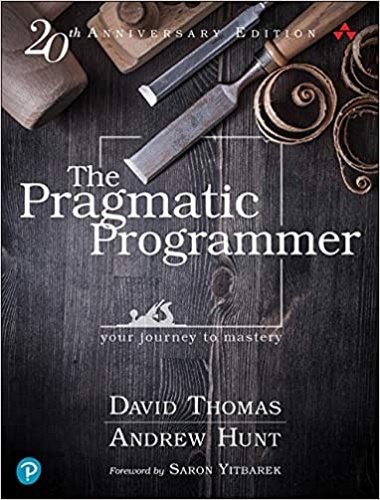
Clean code is one habit of a professional developer. The Pragmatic Programmer covers the rest: taking responsibility for your code, avoiding duplication, testing and automating, and knowing when code is good enough to ship. It’s the book I recommend after Clean Code.
FAQ
What is clean code?
Clean code is code that another developer can read, understand and change safely. It has intention-revealing names, small functions that do one thing, no duplication, and tests. The term comes from Robert C. Martin’s book Clean Code: A Handbook of Agile Software Craftsmanship (2008).
Does clean code mean no comments?
No. Clean code avoids comments that explain what the code does, because a better name or a smaller function can say that. Comments that explain why, such as a business rule, a legal requirement or a workaround for a bug in a library, are still useful. The // Same value as ... comment in rule 10 is an example.
Is clean code slower?
Almost never in a way you can measure. Small functions and named variables are optimized by the JIT compiler. Performance problems usually come from algorithms, database queries and network calls, which are easier to find and fix in clean code. See how to optimize Java application performance.
How do I start cleaning an existing code base?
Don’t rewrite it. Follow the Boy Scout Rule: leave every file you touch a little cleaner than you found it. Rename one variable, extract one function, add one test. Small refactorings in the code you’re already changing add up, and they’re easy to review.
How does clean code relate to SOLID?
Clean code works at the level of names, functions and classes. SOLID works at the level of classes and their dependencies. Rule 5 above, with its ProviderRepository interface, is the dependency inversion principle in practice. See SOLID principles: the definitive guide.
“If this article helped you, help me create the next one.”
☕ Buy me a coffee