CLAUDE.md Template for Python AI Apps (LLM and RAG)
A CLAUDE.md for a Python application that calls a large language model and retrieves documents (RAG). It makes your AI agent treat prompts, model output and costs as carefully as code.
# Support Assistant

RAG chatbot that answers customer questions from the product documentation.

## Tech stack

- Python 3.13
- uv
- FastAPI
- LLM API SDK
- PostgreSQL with pgvector

## Commands

- Build: `uv sync`
- Run locally: `uv run fastapi dev`
- Run all tests: `uv run pytest`
- Run one test: `uv run pytest tests/test_retrieval.py`
- Lint and format: `uv run ruff check . && uv run ruff format .`

## Code style

- Type hints on every function signature.
- Prompts live in `prompts/` as files under version control, not as strings spread through the code.
- Model names, token limits and temperature come from configuration, never hard-coded.
- Validate every model response with a Pydantic model before using it, and handle invalid output.
- Every model and embedding call has a timeout, and retries with backoff on rate-limit errors.
- Treat user input and retrieved documents as untrusted: they never change the system prompt or trigger tools without checks.
- Never log full prompts or responses that can contain personal data.

## Testing

- Unit tests never call a real model; replace the client with a fake.
- Changes to prompts or retrieval are checked against the evaluation set in `evals/` before merging.
- pytest with fixtures in `tests/conftest.py`.

## Working rules

- Every change comes with new or updated tests.
- Run the build and the tests before saying a task is done. If they fail, fix them or report the failure; never hide it.
- Write complete code. No placeholders such as `// rest of the code unchanged` or `TODO: implement`.
- Keep changes focused on the task. Don't refactor, rename or reformat unrelated code.
- Ask before adding a new dependency.
- Never commit secrets, API keys or passwords. Read them from environment variables.
- Don't commit or push unless asked.

## Project notes

- Pipeline: `app/ingest` splits and embeds documents, `app/retrieval` finds relevant chunks, `app/answer` builds the prompt and calls the model.
- After changing a prompt, the chunking or the retrieval, run `uv run python -m evals.run` and report the scores before and after.
- Re-embedding all documents is slow and costs money. Ask before changing the embedding model or the chunk size.
- The model API key is read from the environment. Never print it or write it to a file.
Want different commands, rules or file names? Customize this template in the generator →
An LLM application has two kinds of code: the Python an agent can test, and the prompts, retrieval settings and model calls whose quality only shows in the answers. AI agents treat the second kind like the first. They edit a prompt in passing, hard-code a model name, or “fix” a failing test by calling the real API. This template sets the rules for both.
Why These Rules
- Prompts in files, under version control. A prompt is code that changes the behavior of the whole application. In its own file, every change shows up in review, and the agent can’t rewrite it by accident while editing the function around it.
- Model settings in configuration. Model names change often, and switching to a newer or cheaper model should be a configuration change, not a search through the code.
- Validate every response. A model can return invalid JSON, a missing field or text where you expected a number. Parsing the output into a Pydantic model turns those surprises into errors your code handles.
- Timeouts and retries. Model APIs are slow and rate-limited. A call without a timeout can hang a request, and a call without a retry fails on the first rate-limit error.
- Untrusted input. A document in your index can say “ignore your instructions”. Treating retrieved text and user input as data, never as instructions, is the first defense against prompt injection.
- No real model in unit tests. Real calls make tests slow, flaky and expensive. A fake client returns fixed answers, so the tests check your code.
- The evaluation set. Unit tests can’t tell whether answers got better or worse. A small set of questions with expected answers can, and the rule makes the agent run it and show you the numbers.
Adapt It to Your Project
- Using LangChain, LlamaIndex or a provider SDK directly? Add it to the tech stack line, so the agent uses the same library everywhere.
- Another vector database such as Qdrant, Chroma or Pinecone? Change the stack line in the generator.
- No evaluation set yet? Start with 20 real questions and the answers you expect. Write the command to run them in the notes.
- Building an agent with tools? Add a rule that every tool checks its input, and that tools which change data ask for confirmation.
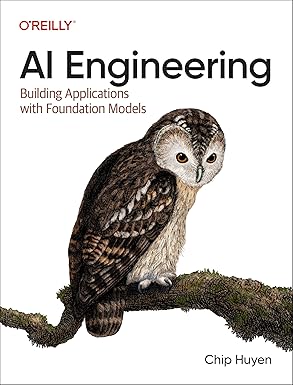
Evaluation, RAG, prompt design and the cost of running models are the subjects of AI Engineering by Chip Huyen, the most complete guide to building LLM applications that work in production. It’s the right next step once your agent has its rules: